
2018

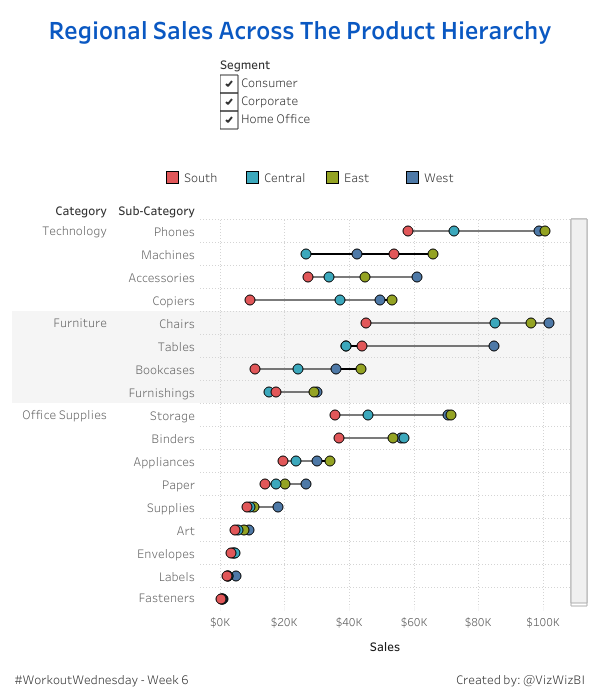
#WorkoutWednesday – Week 6: Regional Sales Across the Product Hierarchy

This week you will need to use your formatting skills and your knowledge with formatting color. You’ll also be using using the rarely-utilized hierarchy on this dashboard and you’ll need to utilize the “+” and “-” to drill in and out of the hierarchy. Below are images and check out the version on Tableau Public […]

#WorkoutWednesday – Week 6: Regional Sales Across the Product Hierarchy Read More »

Tableau, Workout Wednesday
#WorkoutWednesday 2018 – Week 5

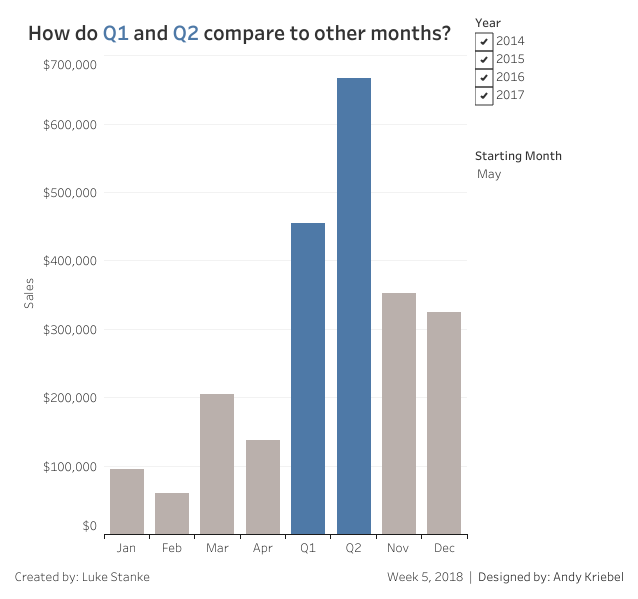
This week Andy is back with a challenge and it’s very straightforward. You need to create two quarters starting with the month selected and show months for everything else. Requirements No Level-of-Detail calculations. No table calculations. The Q2 value must always appear after Q1. There are no spoilers this week. This week utilizes the Superstore

#WorkoutWednesday 2018 – Week 5 Read More »

Tableau, Workout Wednesday
#WorkoutWednesday 2018 – Week 3

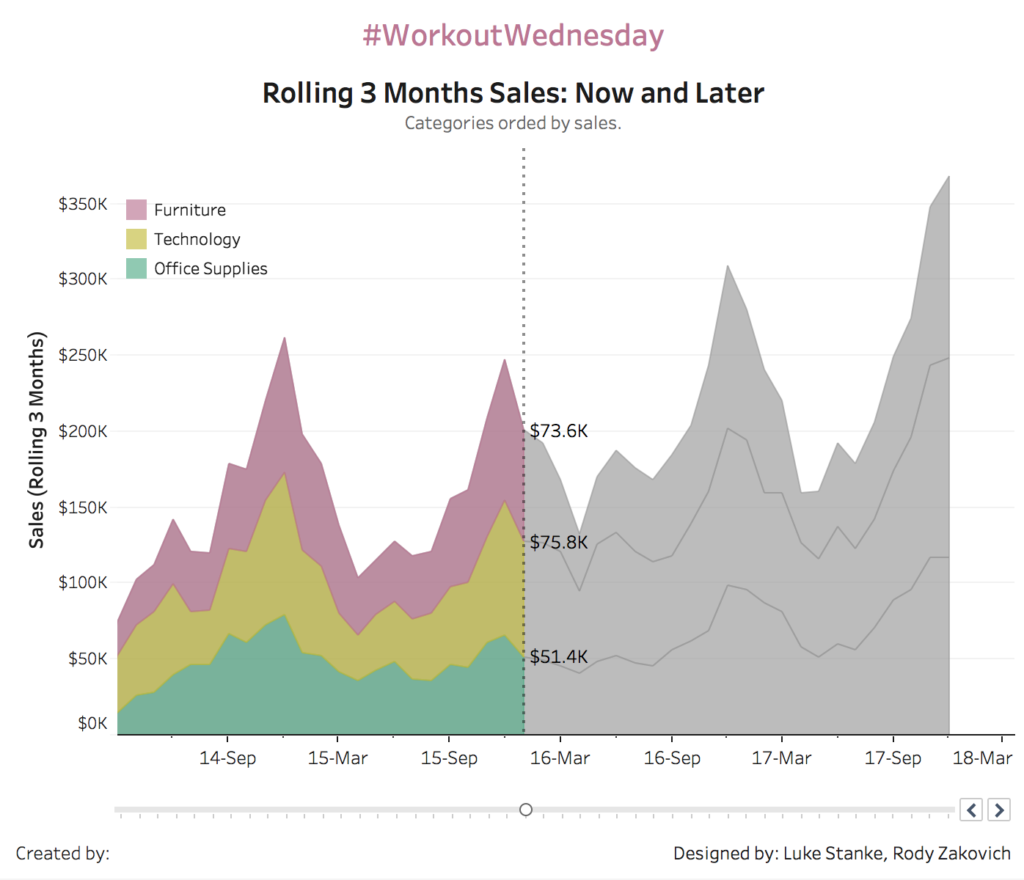
Rody kicked things off last week with the running_sum() function. This week your challenge will be with both parameters and the window_sum() function. This visualization may look simple but it was a challenge for both Rody and myself (You’ll probably see a variant of this later this year). Requirements Data should be aggregated to the

#WorkoutWednesday 2018 – Week 3 Read More »

Tableau, Workout Wednesday
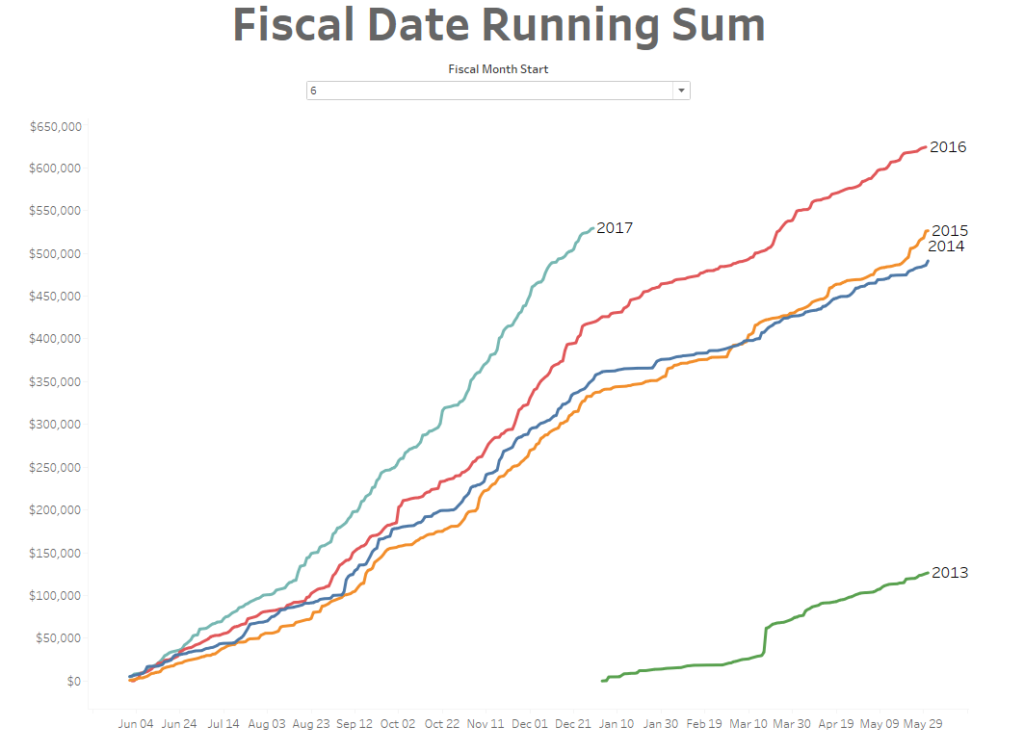
Workout Wednesday: 2018 Week 2 Year to Fiscal Date Running Totals

Kicking off Workout Wednesday, I wanted to challenge the community with one of my favorite Tableau Features, Dates. This week will be looking at Fiscal Years and Running Sums. To make things easy, I am using the Superstore Dataset for this challenge.   Fiscal Year start can be configured via a Parameter X Labels should

Workout Wednesday: 2018 Week 2 Year to Fiscal Date Running Totals Read More »

Tableau, Workout Wednesday
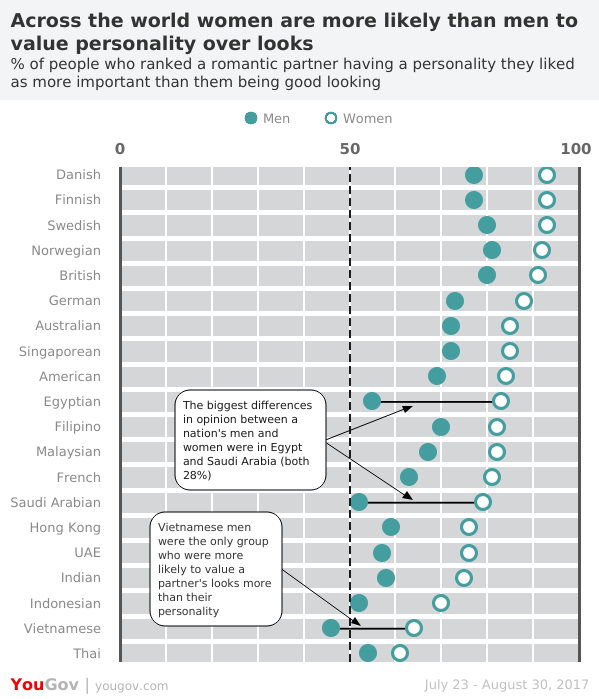
#WOW2018 | 01 | Looks v. Personality

Introduction This challenge is hosted on Andy’s website – check it out here  Click to open in Tableau Public Attribute When you publish your solution on Tableau Public make sure to take the time and include a link to the original inspiration.  Also include the hashtag #WOW2017 in your description to make it searchable! Share After

#WOW2018 | 01 | Looks v. Personality Read More »

community, Tableau, Workout Wednesday