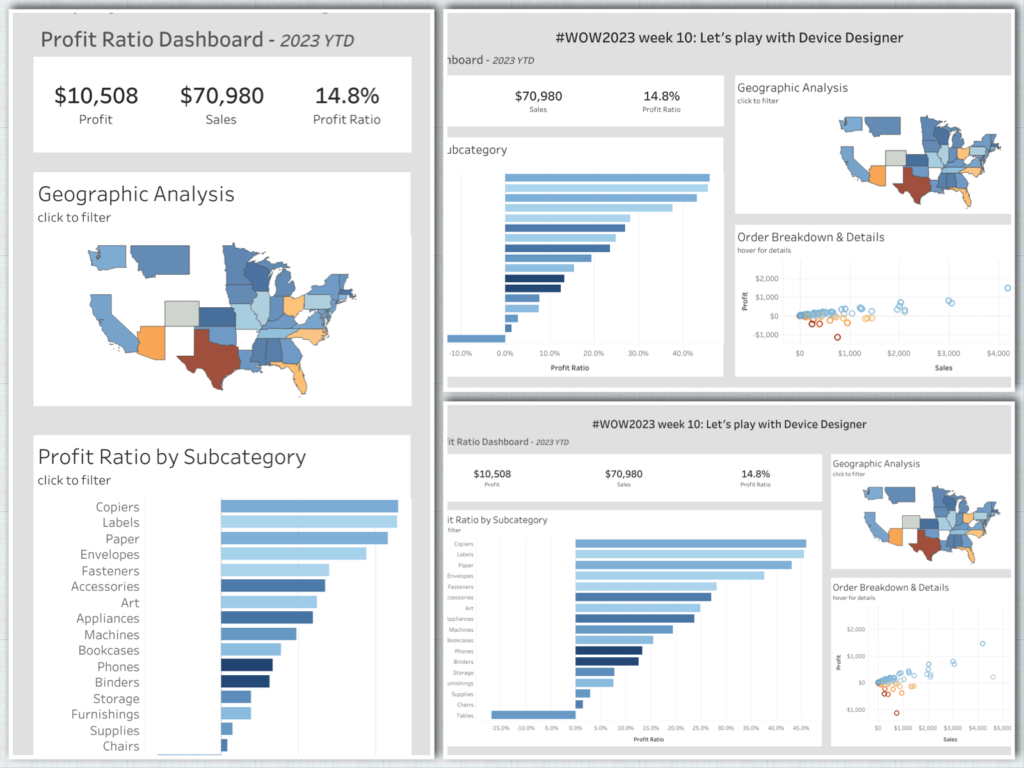
#WOW2023 week 10: Let’s practice Device Designer
One of the less often used features of Tableau is device designer. While it may not be needed all the time, when the need does arise its good to have the practice under your belt
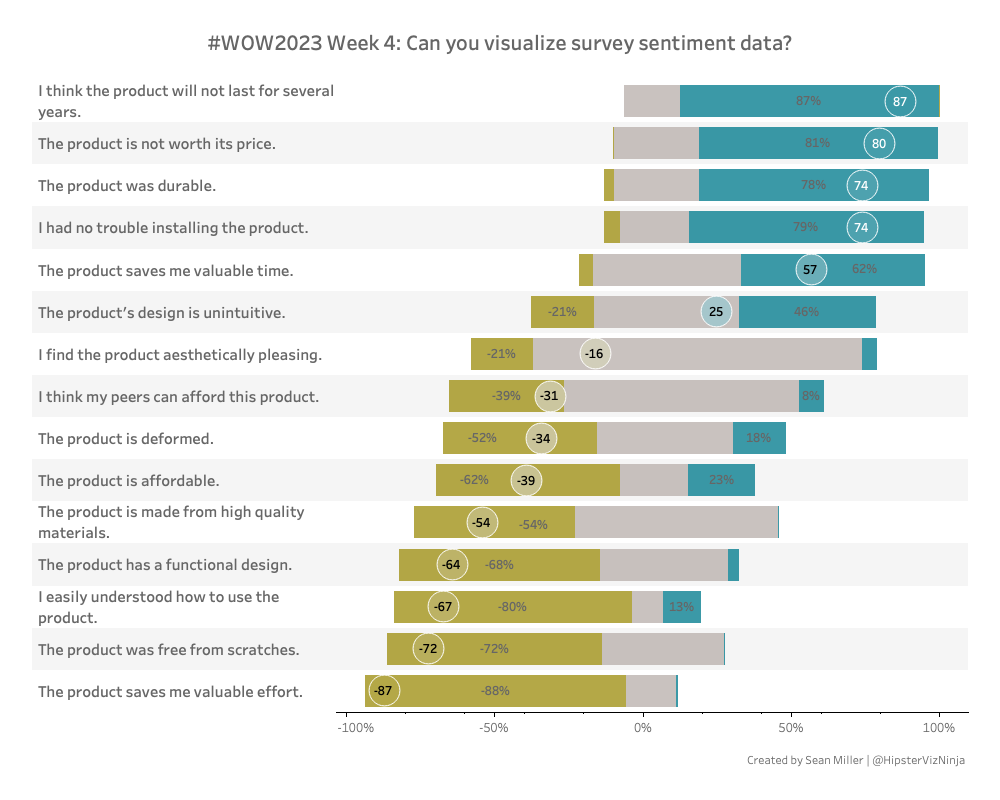
NPS Survey data can be tricky to wrangle and work with. Check out this week’s Tableau #WorkoutWednesday and see if you can do it!
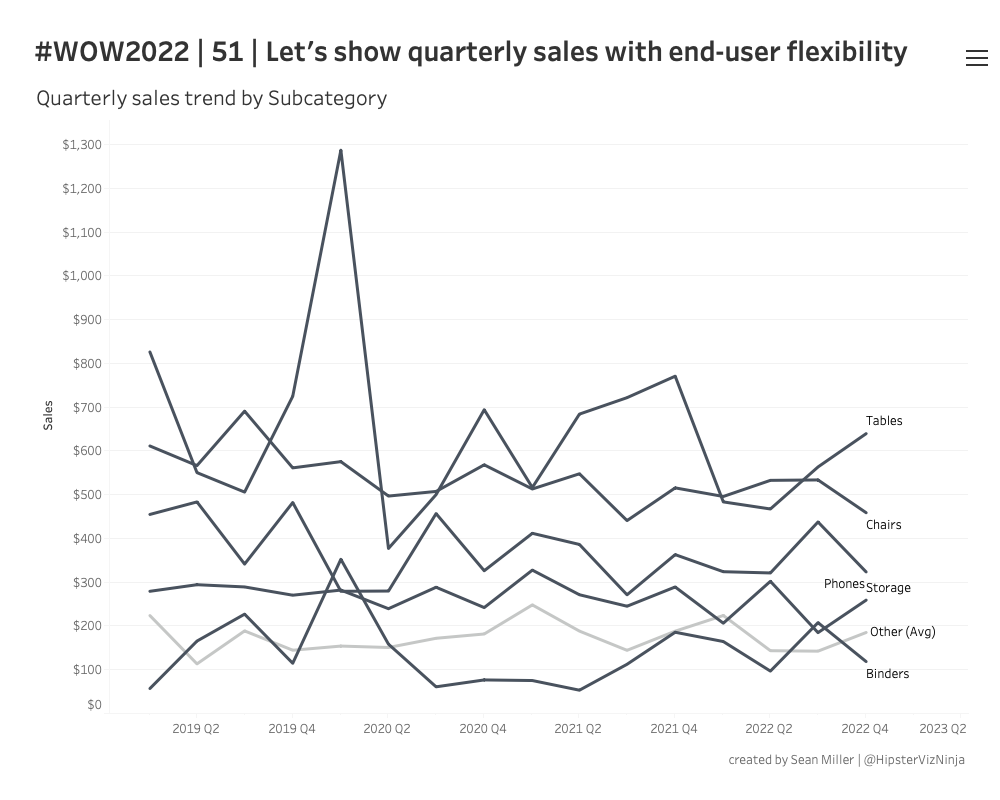
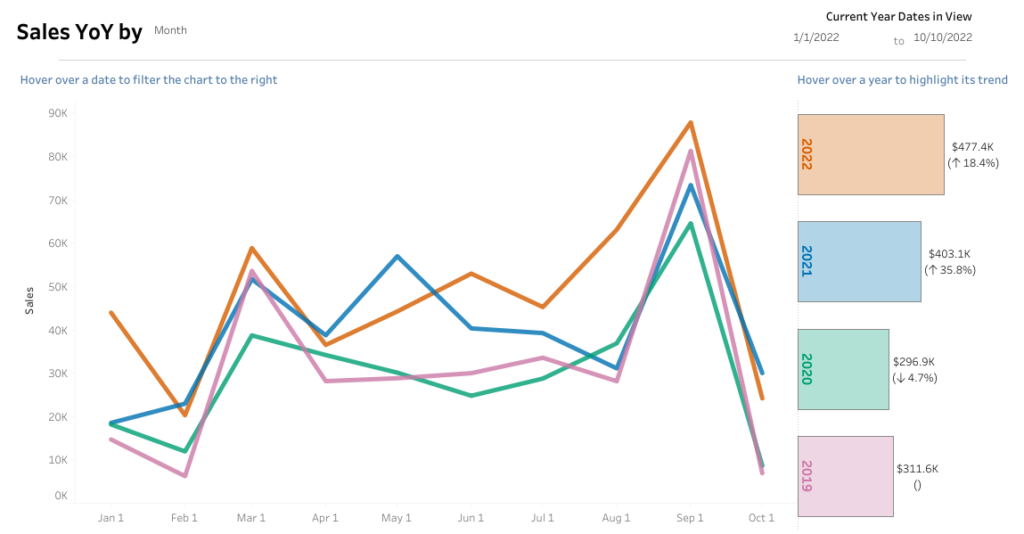
Introduction I recently had this type of request at work – stop me if you’ve heard this before. We need to show the trend of [single or multiple measures] and we want to see it by these specific dimensions. Oh! And we also need to be able to filter by the same dimensions as well… …
#WOW2022 Week 51: Let’s show quarterly sales with end-user flexibility Read More »
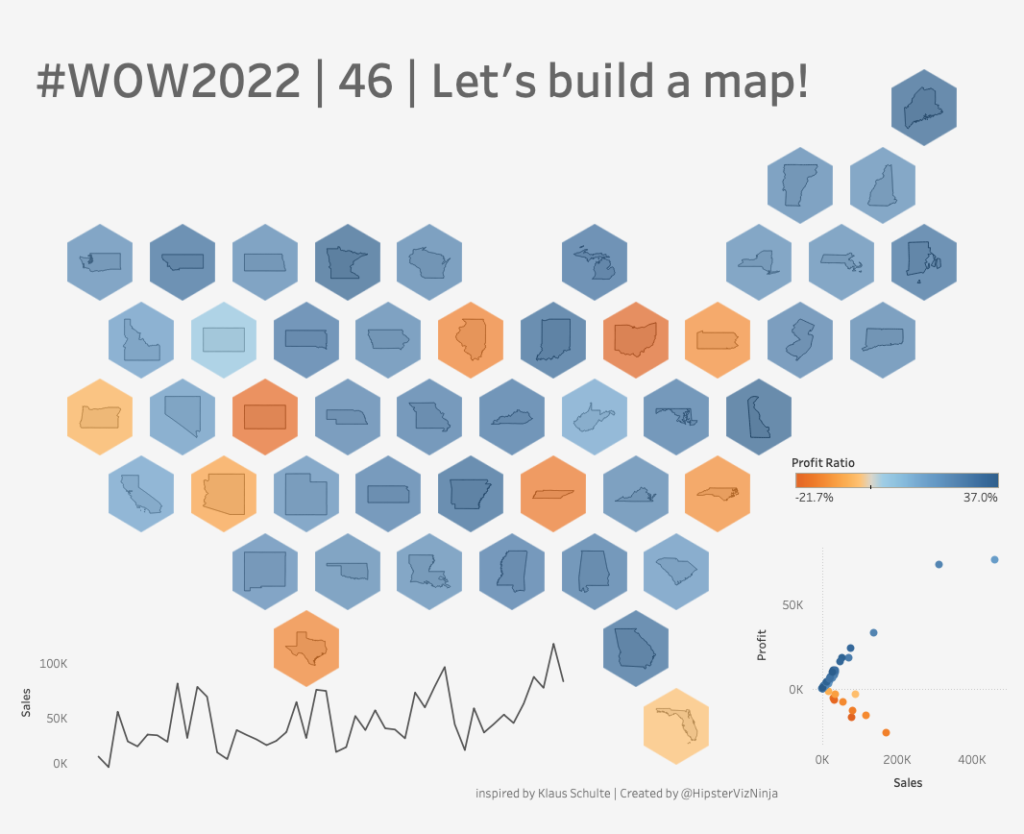
Introduction Man, sometimes the #datafam is just so very inspiring. I recently saw this tweet by Visionary, Klaus Schulte, this week and immediately knew I wanted to make a challenge out of it. The premise is quite simple – make a tile map but also add the state outline to further assist readers to where …
Introduction Welcome to week 2 of #WOW2022 community month! I’m excited to have Liam Huffman joining me for this week’s challenge. Liam is a fellow colleague at Evolytics and is a great member of the #datafam! With that – here’s Liam Hey everyone! I’m excited to be here sharing my challenge dashboard. This one focuses …
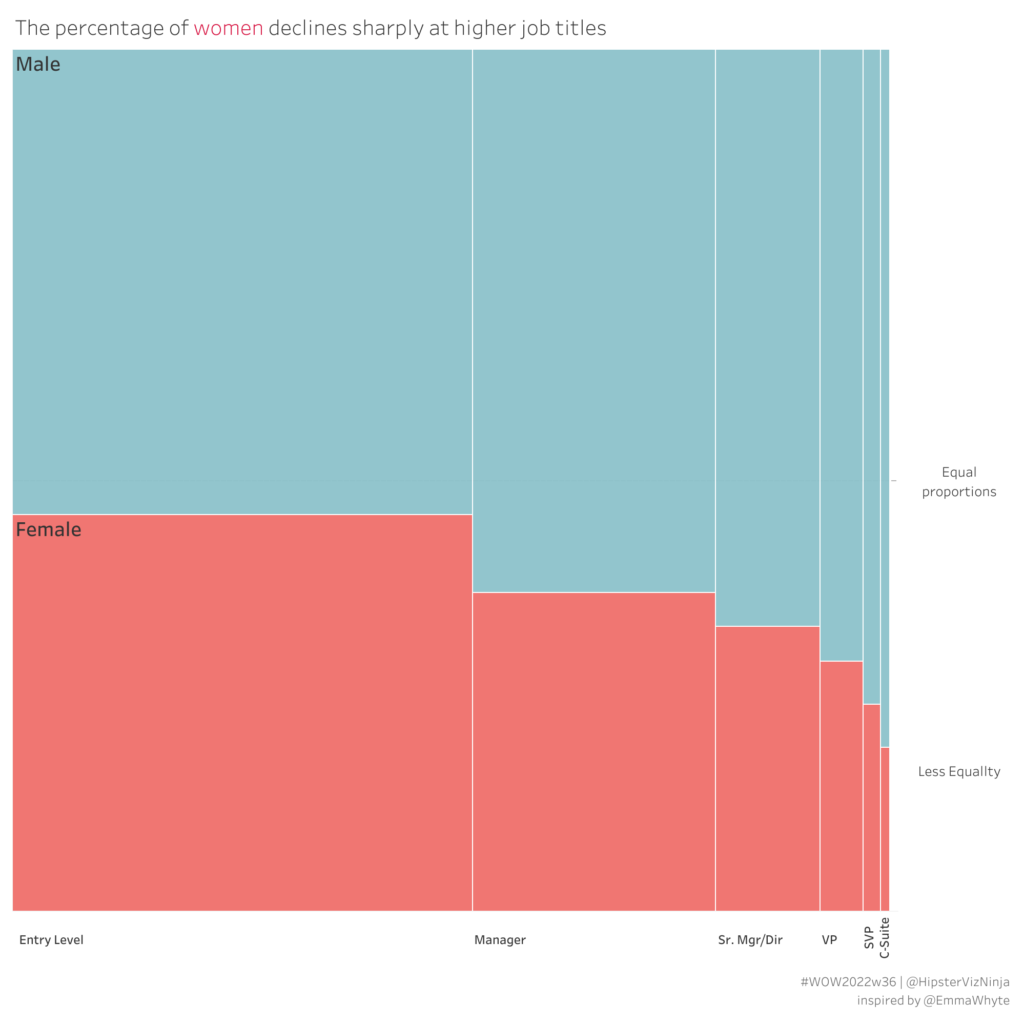
Every needed to visualize a % of total across two dimensions & measures? Then the Marrimeko chart is what you need! Check out this week’s #WOW2022 challenge for a throwback to 2017 week 8
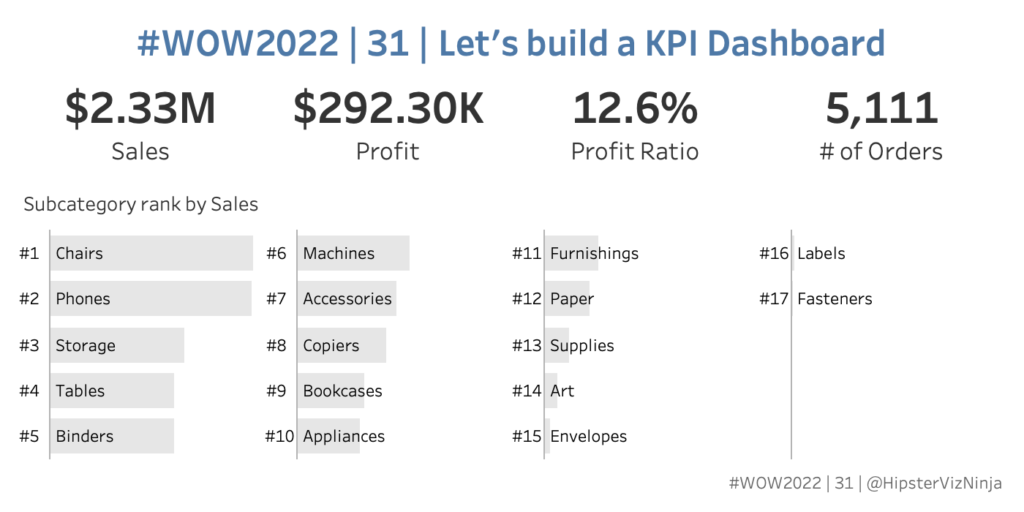
Introduction Who doesn’t love a good KPI dashbaord? This one is fairly simple and straightforward. Let’s look at four simple metrics and see how each subcategory ranks within a selected metric. With this challenge – MIND THE NUMBER FORMATTING 🙂 Click to open in Tableau Public Requirements Dashboard Size: 700 x 350 2 sheets Display …
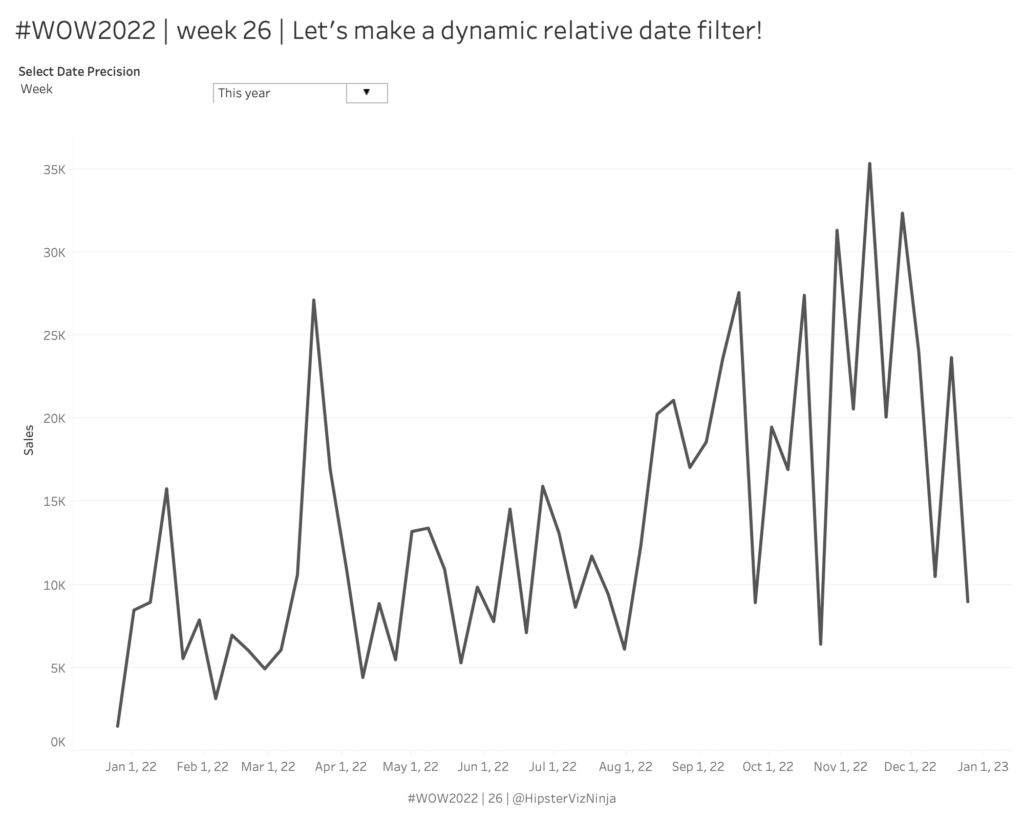
Introduction Welcome to week 26 – the halfway mark of 2022! This week is pretty straightforward; how simple it will be is up to you 😀 I’ve always really liked using the relative date filter in Tableau but one thing that’s always irked me is that the anchor date is not dynamic – neither end-user …
#WOW2022 | 26 | Let’s make a dynamic relative filter Read More »
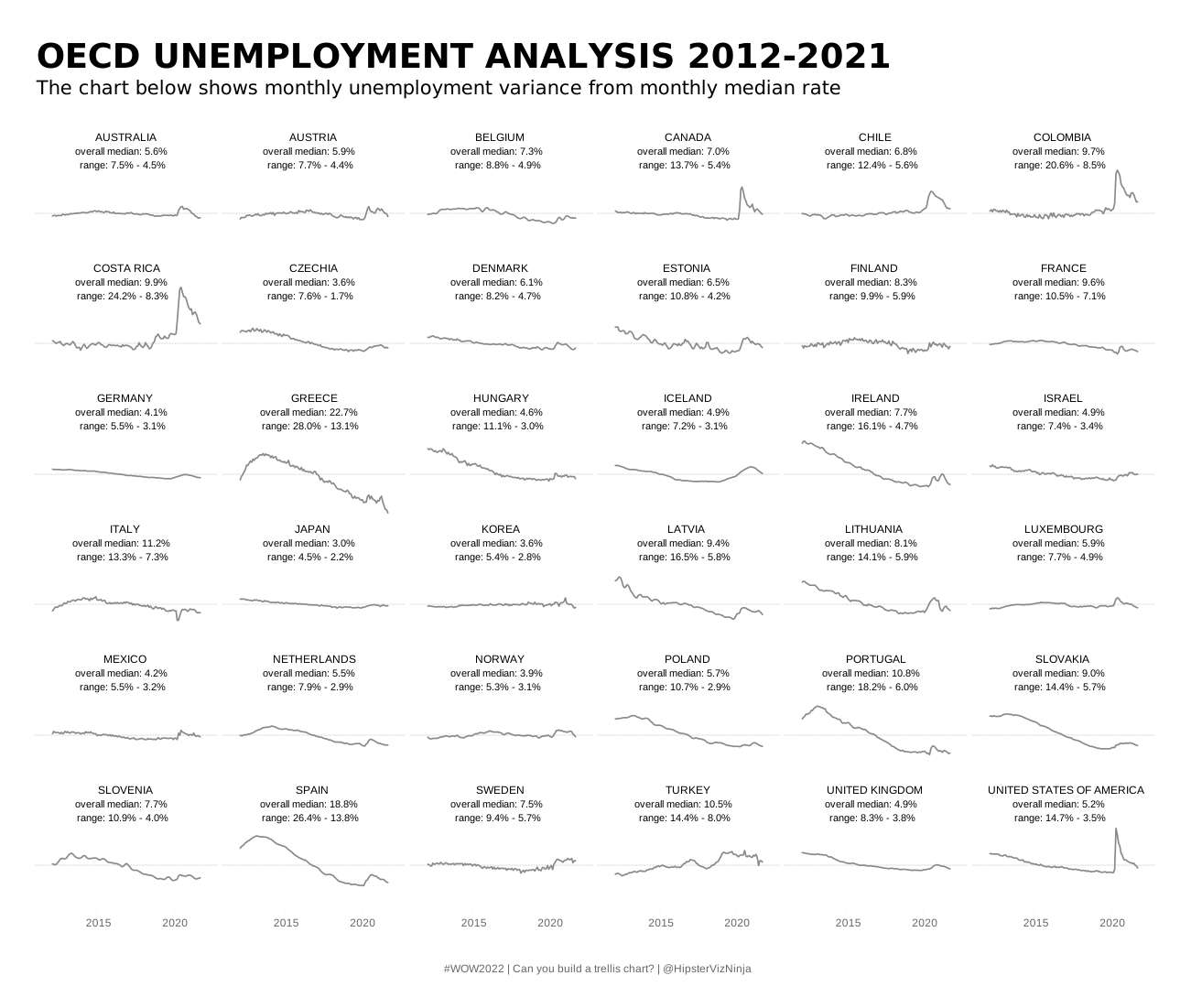
Introduction Fresh off the heels of #Data22, it’s already time for a new #WOW2022 Tableau challenge! One of my favorite charts is the small multiple. It can be used to show a lot of data in a compact view. Typically, small multiples are used to visualize a single measure with two discrete dimensions. And that’s …
One of the forgotten functions of Tableau is the hexbin functions