Workout Wednesday

#WOW2026 | Week 13 | Let’s Viz Tsukurima Show!

Introduction Community Month is back! 🎉To kick things off, Hideaki Yamamoto and Tomoki Goda from Japan Tableau User Group are bringing a challenge inspired by one of the Japan Tableau User Group’s beloved events.Here’s a message from both of them! Meet “Viz Tsukurima Show!” (VizTS), a fan-favorite speed-viz event hosted by JTUG.It kicked off in […]

#WOW2026 | Week 13 | Let’s Viz Tsukurima Show! Read More »

Tableau, Workout Wednesday

2026 Week 12 | Power BI: Custom matrix subtotals and cards with categories

Introduction This week we are looking at some newer core visuals and formatting features: cards that in a segmented tile layout, a slicer that supports partial text matching, and a matrix where the percentage-of-total calculation changes meaning depending on whether you’re looking at a subtotal or a detail row.  The bonus challenge pushes into SVG-in-DAX

2026 Week 12 | Power BI: Custom matrix subtotals and cards with categories Read More »

Power BI, Workout Wednesday
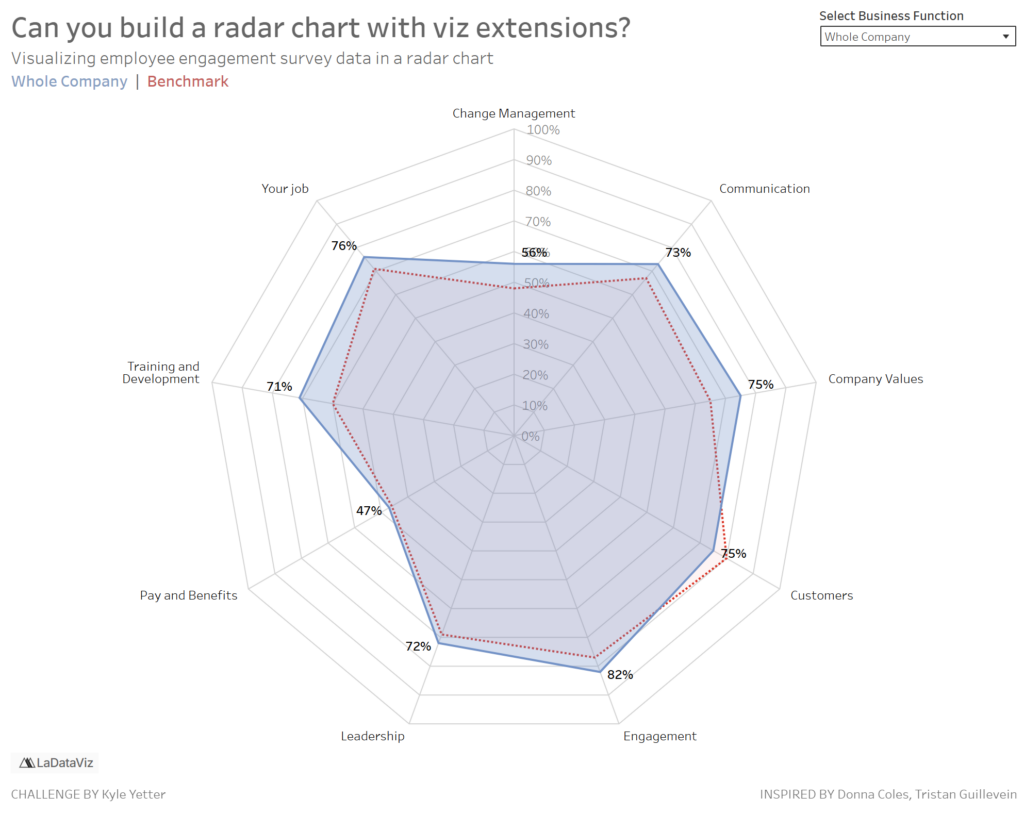
#WOW2026 | Week 12 | Create a Gauge Chart with Tableau Extensions

Introduction I was recently looking into the Radial Viz Extension after Sunburst support was added in Tableau 2025.3, and realized it can also create gauge charts with ease. Turns out this has actually been possible since the Radial Extension first launched in 2024.2! Building gauge charts in Tableau used to require map layers and dedicated

#WOW2026 | Week 12 | Create a Gauge Chart with Tableau Extensions Read More »

Tableau, Workout Wednesday

2026 Week 07 | Sigma: Tale No One

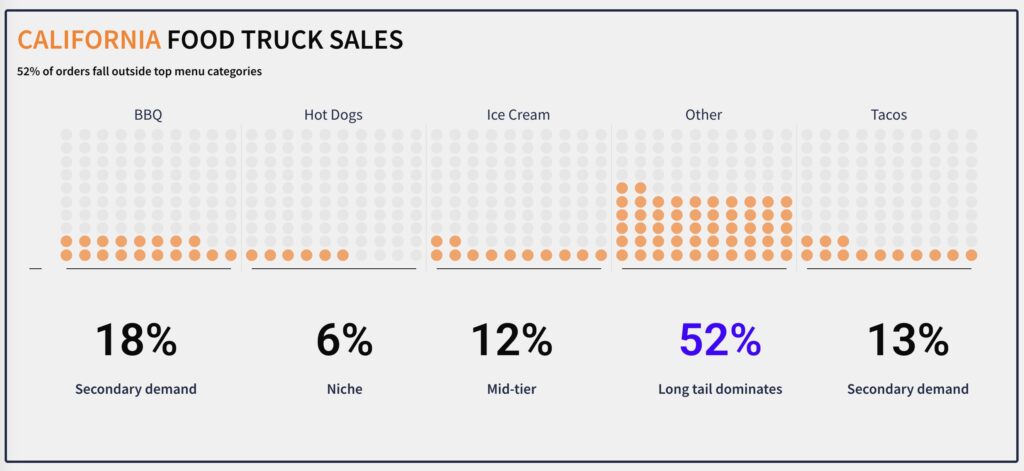
Introduction This week’s challenge: recreate a Tale visualization with a twist. The goal is to show revenue growth over time for 100 companies, grouped into: • Rocket Ships• Fast Growers• Slow Burners The catch? Sigma doesn’t separate “line identity” and “color grouping” the way most tools do. So the real challenge isn’t the chart. It’s

2026 Week 07 | Sigma: Tale No One Read More »

Sigma, Workout Wednesday

#WOW2026 | Week 11 | Can you use layout containers?

Introduction Every week I’m reminded at how much people struggle with containers in Tableau. So I thought why not make another challenge to see how people get on.  I’ll be giving you the solution file and it’s your job to recreate the same item hierarchy Click to open in Tableau Public Requirements Dashboard Size: 1200×800

#WOW2026 | Week 11 | Can you use layout containers? Read More »

Tableau, Workout Wednesday

2026 Week 10 | Power BI: Dynamic visibility of visuals

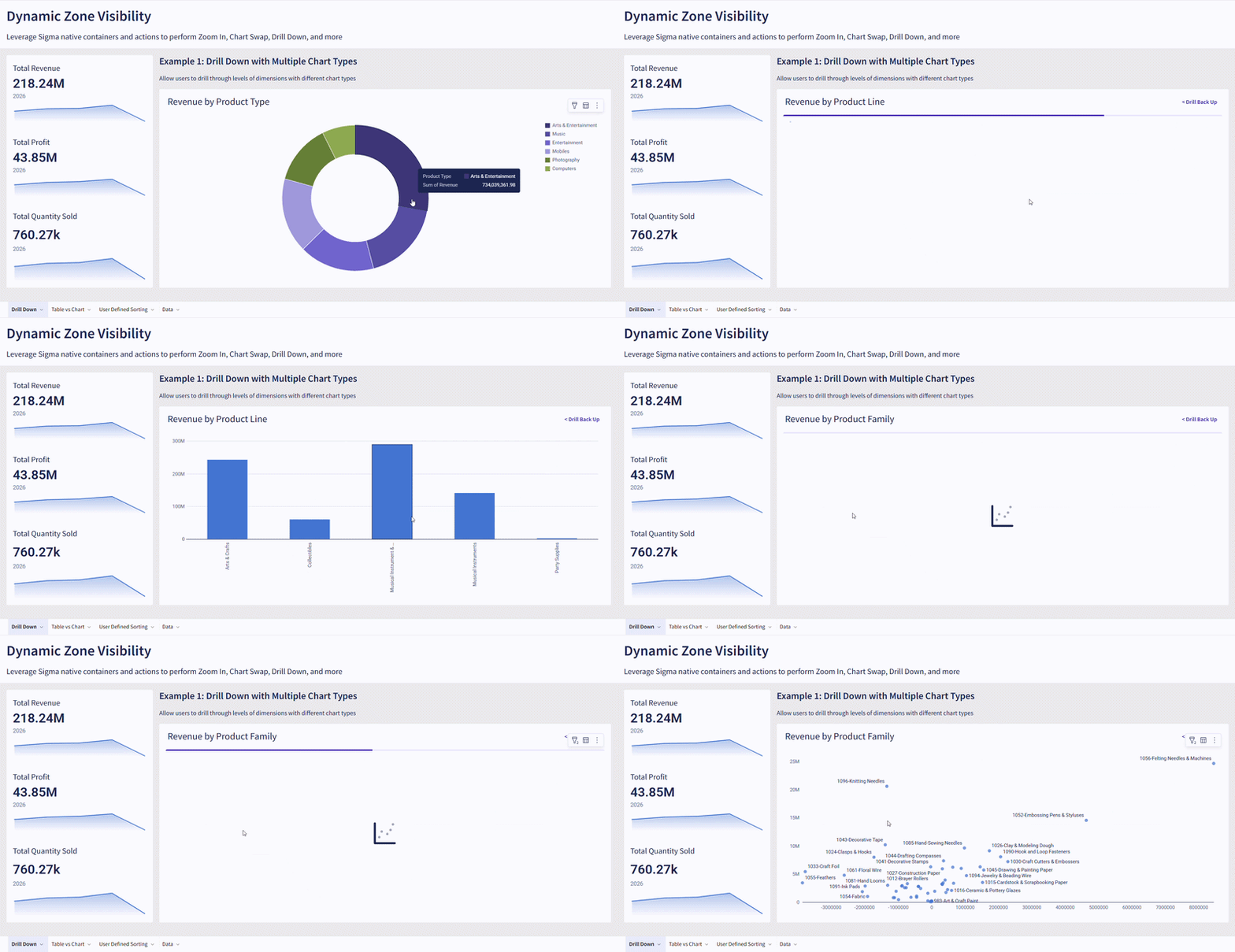
Introduction This challenge focuses on a powerful Power BI technique: conditional visibility using overlapping visuals and dynamic transparency. Instead of hiding visuals entirely, you’ll learn to control visibility through background color transparency – making elements appear and disappear based on user selections. Based on the selection of countries, we are looking at differences in foreign

2026 Week 10 | Power BI: Dynamic visibility of visuals Read More »

Power BI, Workout Wednesday