Beginner

2024 Week 20 | Power BI: Build your first report with Dynamics 365 Business Central Data

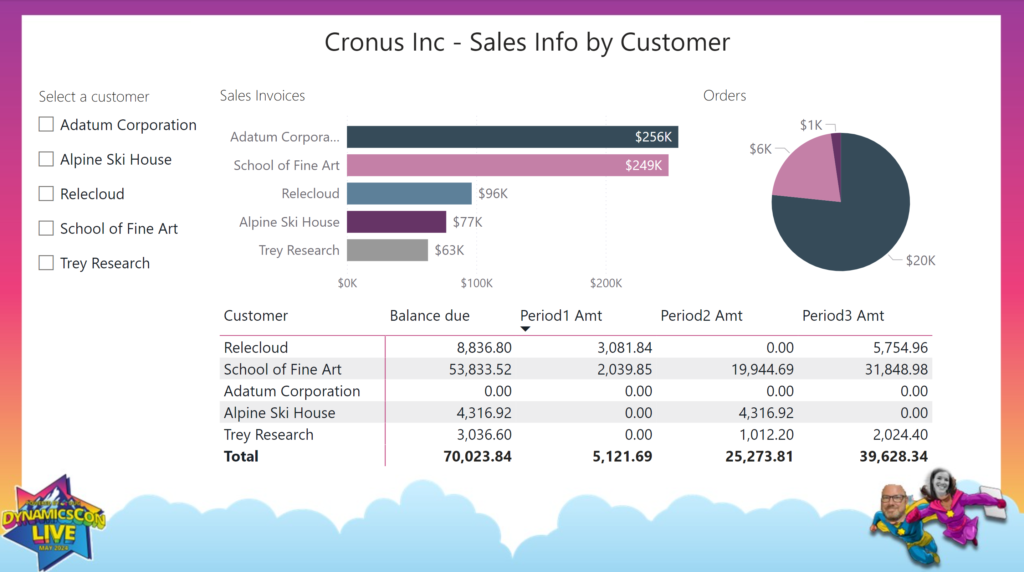
Introduction Welcome back to Workout Wednesday! This week’s challenge is for participants new to Power BI and/or new to data visualization. We’re building a report containing 2 charts, a table, and a slicer. My challenge to you is to design the report in a way that a) makes sense to business users and b) is …

2024 Week 20 | Power BI: Build your first report with Dynamics 365 Business Central Data Read More »

2024 Week 17 | Power BI: Design an Earth Day Infographic

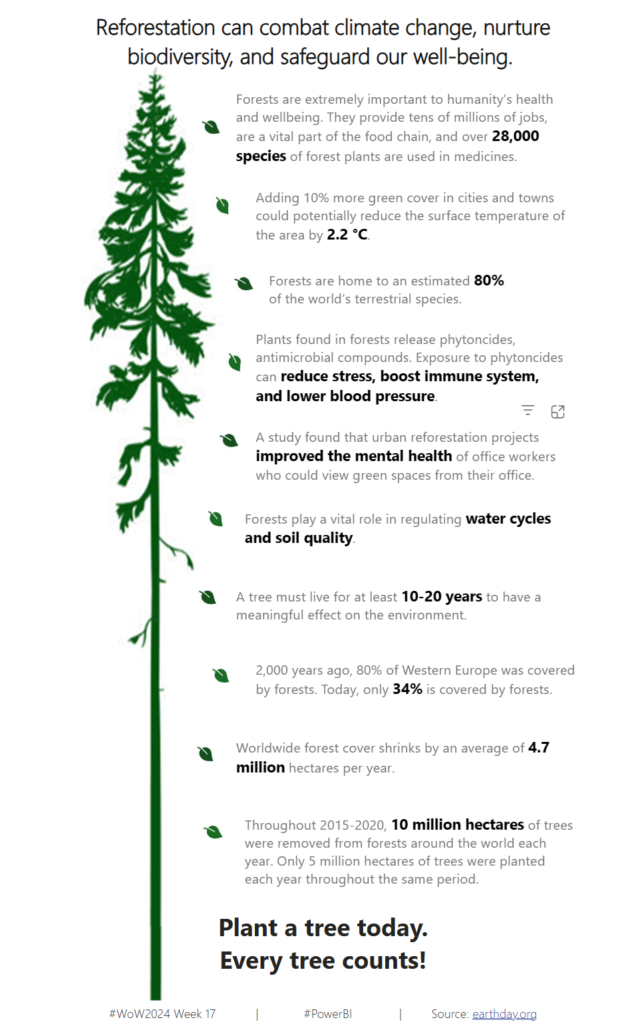
Introduction Welcome back to Workout Wednesday! This week we’re celebrating Earth Day (April 22) with a design challenge. You can do whatever your designer heart desires with this challenge. I’ve provided a sample, but this is just to get your creative juices flowing. Whatever you do, ensure that your design is accessible and that you’re …

2024 Week 17 | Power BI: Design an Earth Day Infographic Read More »

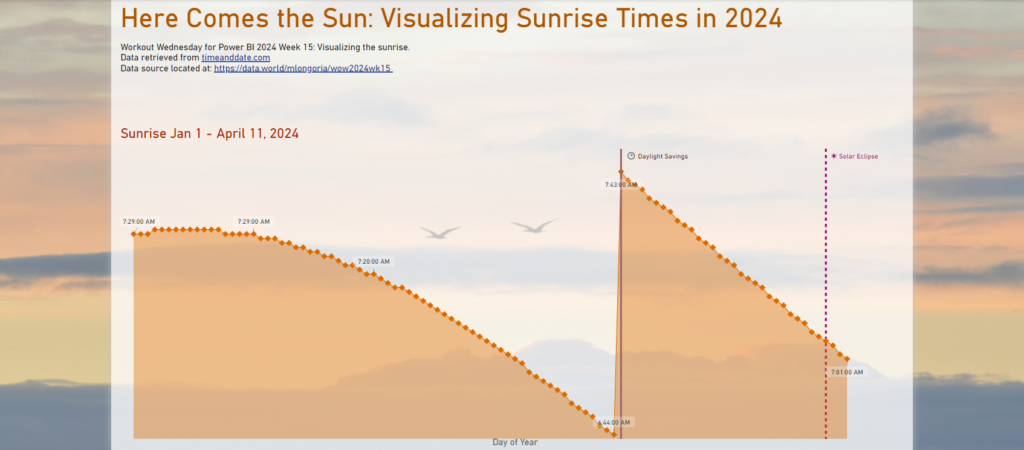
2024 Week 15 | Power BI: Visualize sunrise times with a line chart

Introduction Since I watched the solar eclipse from Texas this week, we have a solar theme. We are visualizing the sunrise time each day in 2024 to date. I’m keeping it simple with the line chart core visual, but you can use whatever visual you would like.  Requirements 1. Retrieve the data from Data.World.  2. …

2024 Week 15 | Power BI: Visualize sunrise times with a line chart Read More »

Overlapping Histogram

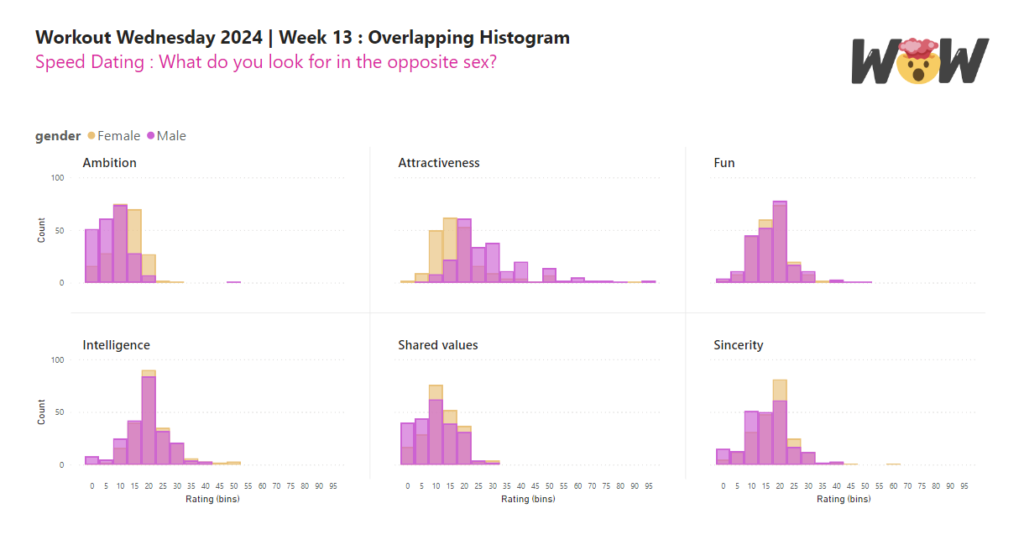
2024 Week 13 | Power BI: Overlapping Histogram

Introduction In this week’s challenge we are creating an Overlay Histogram. An overlay histogram utilises overlapping columns or bars to compare two populations. In this case, we are utilising the speed dating data from a previous challenge to compare male and female differences in dating preferences. Requirements Obtain the data from the Workout Wednesday 2022 …

2024 Week 13 | Power BI: Overlapping Histogram Read More »

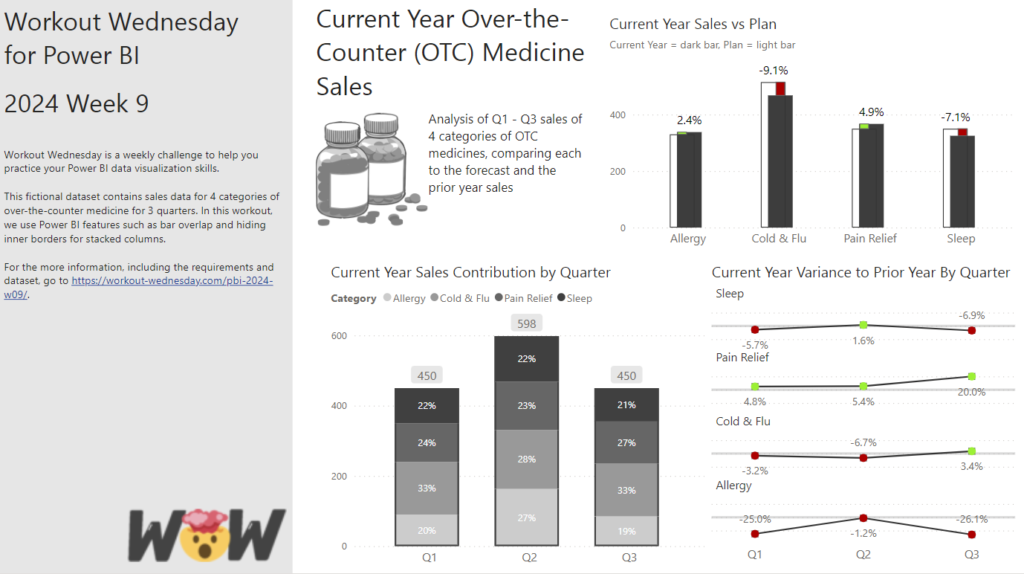
2024 Week 9 | Power BI: Use Bar Overlap and Border Formatting

Introduction Welcome to this week’s Workout Wednesday. This week, we are taking advantage of some new features in the February 2024 release of Power BI Desktop. We can now have bars overlap in a clustered column chart and hide the inner borders in a stacked column chart. This week, we’ll use those formatting options to …

2024 Week 9 | Power BI: Use Bar Overlap and Border Formatting Read More »

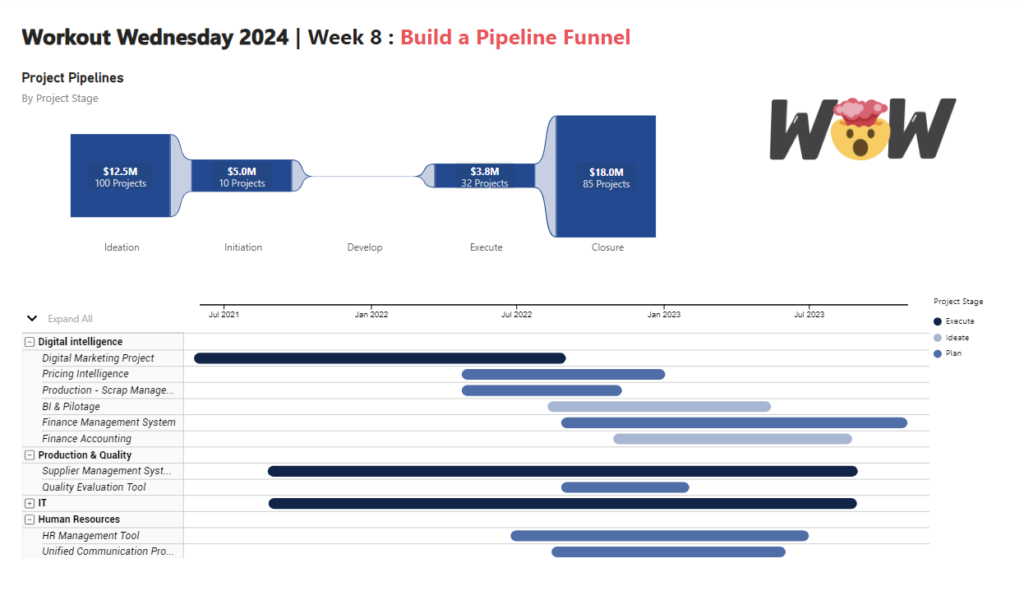
2024 Week 8 | Power BI: Build a Pipeline Funnel with Core Visuals

Introduction This week’s challenge we will be utilising visual calculations (this will require turning Visual Calculations on in Preview settings of February 2024 Desktop) and some additional new data label formatting options to create a pipeline funnel with out of the box visuals in Power BI. Visual calculations can be handy for visual specifiic calculations …

2024 Week 8 | Power BI: Build a Pipeline Funnel with Core Visuals Read More »

2024 Week 4 | Power BI: Recreate this weather visual with overlapping columns

Introduction I keep seeing a particular visual shared by a Denver-area meteorologist on social media. It seems to be output from weathermodels.com.  I thought it might be fun to make a modified version in Power BI, so that is our challenge this week. While we don’t have native overlapping columns, there is a native solution …

2024 Week 4 | Power BI: Recreate this weather visual with overlapping columns Read More »

2024 Week 3 | Power BI: Back to basics with a bar chart

Introduction Welcome back to Workout Wednesday! We’re taking it back to basics this week and creating a bar chart that uses small multiples and conditional formatting. We’re using the #MakeoverMonday team’s data on New Year’s Resolutions and the design is inspired by a Makeover Monday participant! A huge thank you to Ela Piwowarska for creating her submission and …

2024 Week 3 | Power BI: Back to basics with a bar chart Read More »

2023 Week 52 | Power BI: Format Bar Charts with Transparency, Borders, and Detail Labels

Introduction In the December 2023 release of Power BI Desktop, some new formatting options were added for bar charts. These enhancements allow us to add borders around bars (and segments of bars for stacked bar charts), change the transparency of the fill color in a bar, and add secondary metrics to data labels.  With the …

2023 Week 52 | Power BI: Format Bar Charts with Transparency, Borders, and Detail Labels Read More »