Workout Wednesday

2024 Week 9 | Sigma: Can you create Bar charts in this Pivot Table?

Introduction This week have a guest author! Tausif Kazi is an expert in data visualization who is experienced in several platforms such as Sigma, Power BI, Tableau, and Snowflake.   Connect with Tausif:Linkedin: https://www.linkedin.com/in/tausifkazi/Twitter: https://twitter.com/VizByTK This challenge will cover how to create a Bar chart in Pivot Tables. This will help your users quickly understand the …

2024 Week 9 | Sigma: Can you create Bar charts in this Pivot Table? Read More »

2024 Week 9 | Power BI: Use Bar Overlap and Border Formatting

Introduction Welcome to this week’s Workout Wednesday. This week, we are taking advantage of some new features in the February 2024 release of Power BI Desktop. We can now have bars overlap in a clustered column chart and hide the inner borders in a stacked column chart. This week, we’ll use those formatting options to …

2024 Week 9 | Power BI: Use Bar Overlap and Border Formatting Read More »

2024 Week 8 | Power BI: Build a Pipeline Funnel with Core Visuals

Introduction This week’s challenge we will be utilising visual calculations (this will require turning Visual Calculations on in Preview settings of February 2024 Desktop) and some additional new data label formatting options to create a pipeline funnel with out of the box visuals in Power BI. Visual calculations can be handy for visual specifiic calculations …

2024 Week 8 | Power BI: Build a Pipeline Funnel with Core Visuals Read More »

2024 Week 8 | Sigma: Can you customize this tooltip?

Introduction A good data visualization strikes a balance between enough and too much information. For this week’s challenge, we will explore a couple of ways to customize tooltips. Customizing these can help provide users with meaningful information without overwhelming or crowding the visuals. I’m sure you’ll knock this one out of the park! Need access …

2024 Week 8 | Sigma: Can you customize this tooltip? Read More »

A Line Graph that changes between different date granularities

2024 Week 7 | Sigma: Can you recreate this Line Graph?

Introduction Welcome to Week Seven! This week, you’re going to create a line graph that can change its date granularity.  With a dynamic x-axis, this graph allows users to view trends at the level that makes sense for their current needs, without duplicating work. Also in this challenge, you’re going to learn how to show …

2024 Week 7 | Sigma: Can you recreate this Line Graph? Read More »

2024 Week 07 – Column interaction sorting

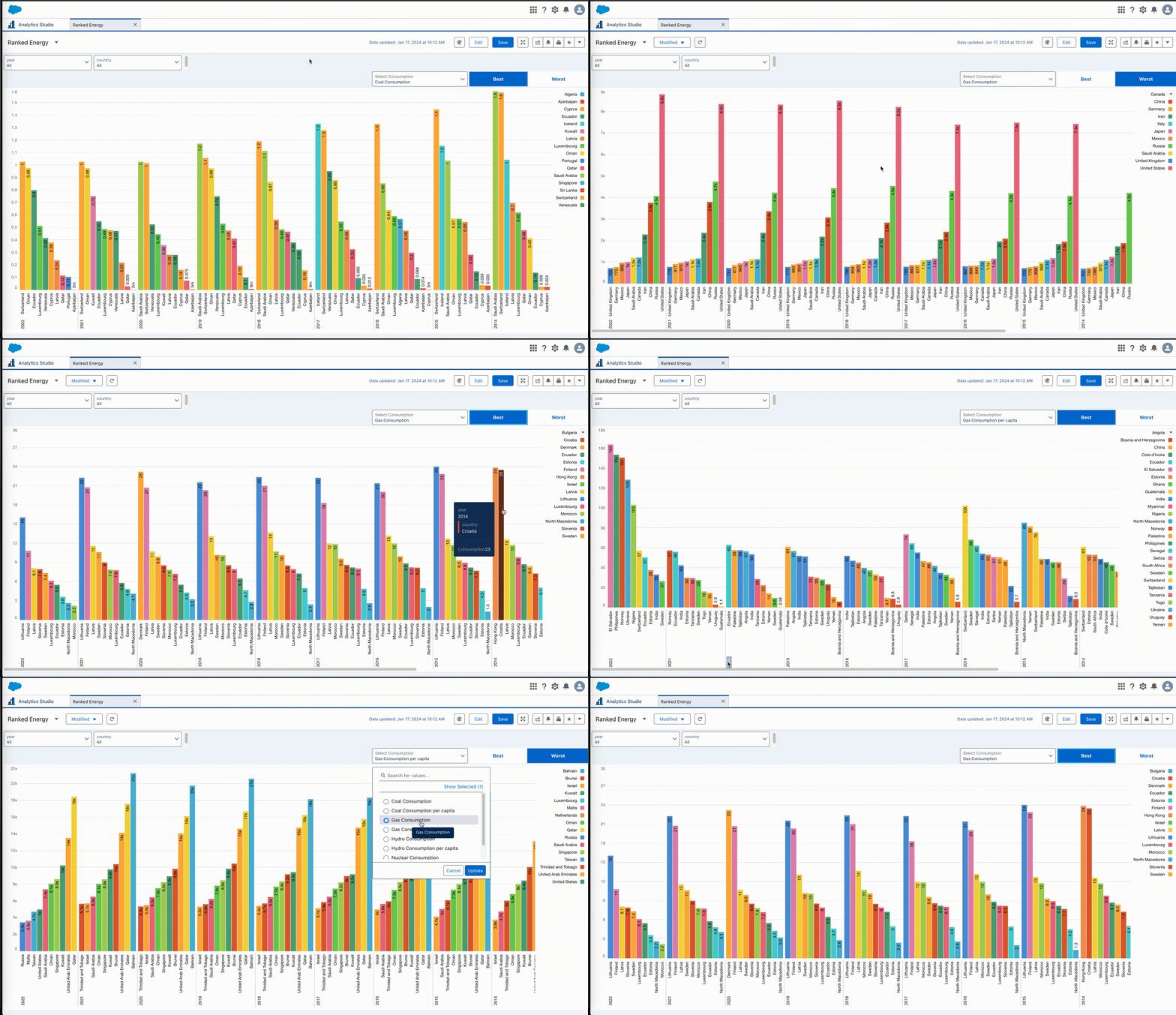
Introduction It’s already week 7 of our #WorkoutWednesday challenges (whoa, time flies…). In this challenge, I’d like to explore one aspect of the column multi-selection interaction in CRM Analytics: sorting. When we select more than 1 grouping, can we maintain the sorting within the selected groups, regardless of the selection’s order? We’ll find out in …

2024 Week 07 – Column interaction sorting Read More »